Which meeting apps does it work with?
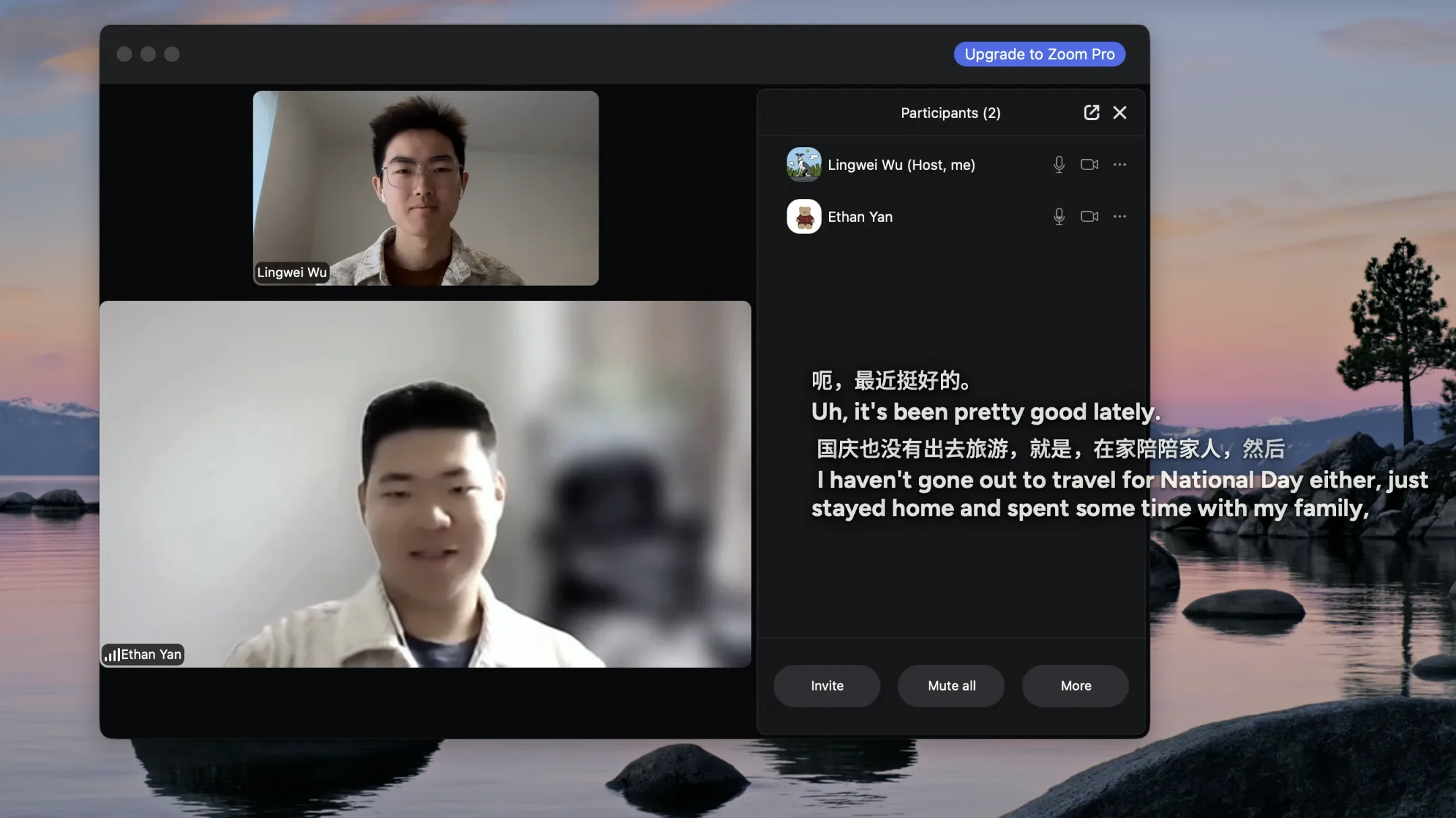
Any app that plays audio on your computer: Zoom, Microsoft Teams, Google Meet, Webex, calls in a browser tab, or a recording you're playing back. Arasso listens to the audio your computer plays through the operating system's own audio APIs — the same class of activity as a screen recorder. It doesn't join the meeting as a participant and doesn't install anything into the meeting app.
Does anyone else in the meeting need to install Arasso?
No. Captions appear only on your screen, and nobody else needs an account, an app, or a settings change. The same goes for the interpreter: participants simply hear a voice in their language.
Which languages can it translate?
Arasso understands speech in 56 languages, with auto-detect for meetings where people switch between languages, and can show captions in any of them — including Simplified and Traditional Chinese.
Can Arasso speak for me, too?
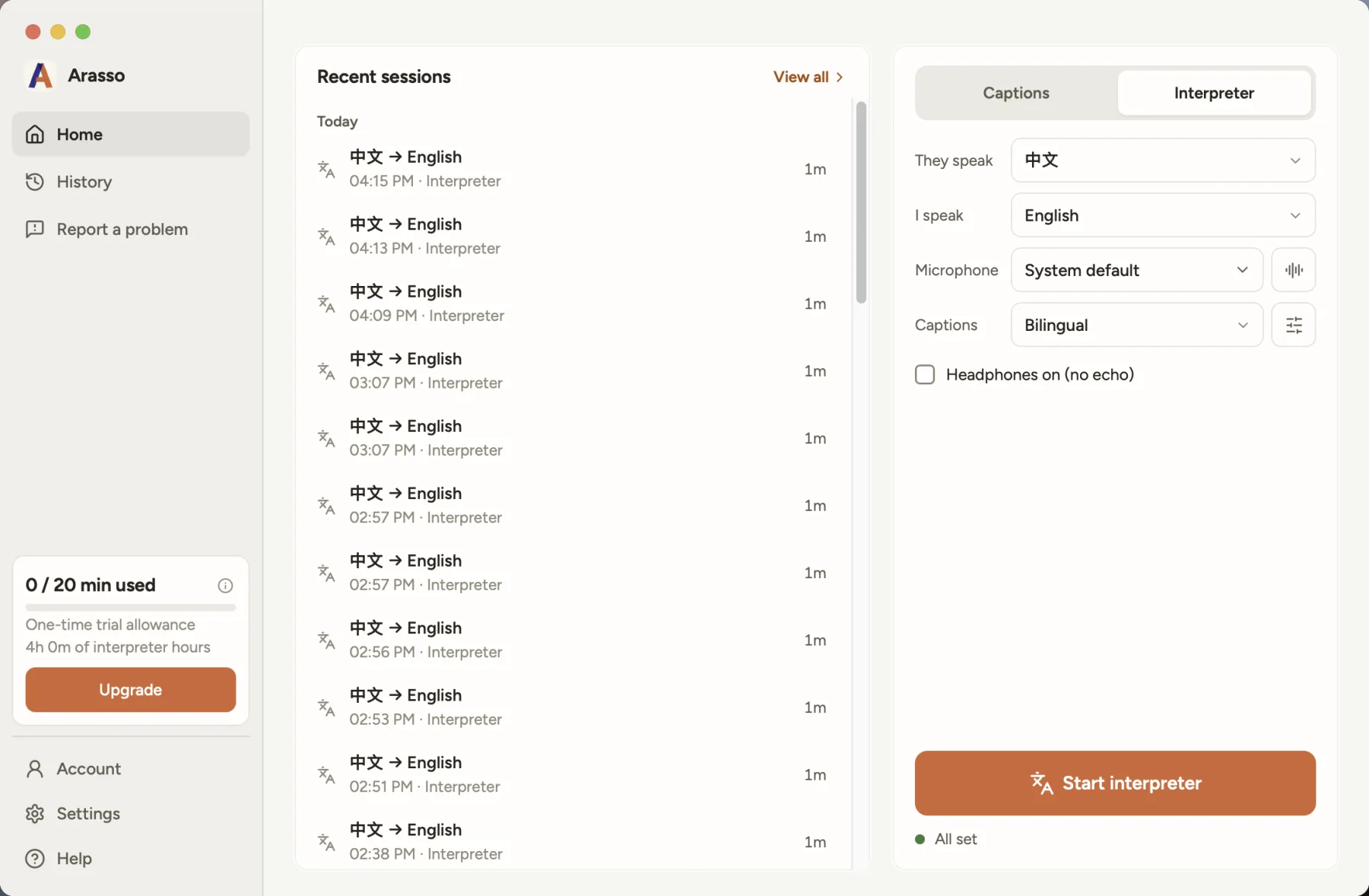
Yes, that's the interpreter, in Arasso for Windows and for Mac. You speak in your language and the meeting hears an AI voice saying it in theirs. The app's setup gives you a virtual microphone (Arasso Microphone on Mac, VB-CABLE on Windows); pick it as your microphone in the meeting app and set the two languages once. Captions keep running while it works. The first 5 minutes are free; after that, interpreter hours come with Plus and above or as prepaid hours in the app.
When do my free minutes reset?
Your free 20 minutes of captions reset every Monday at 00:00 UTC. Unused minutes don't carry over. The app shows the reset time in your local time zone.
How do I set up the interpreter?
The interpreter is in Arasso for Windows and for Mac (Apple silicon, macOS 14.6 or later). On Mac the app installs its own Arasso Microphone during setup; on Windows the setup guides you through installing VB-Audio's free VB-CABLE. Then pick the virtual microphone as your microphone in Zoom, Teams, or Meet: “Arasso Microphone” on Mac, “CABLE Output” on Windows. Set the pair once, the language they speak and the language you speak, and live captions keep running alongside. When the interpreter is not translating, the meeting hears your own voice through the same microphone. Headphones are recommended so the interpreter never hears itself. The voice is AI-generated, and like any interpreter it can make mistakes: keep captions on to check.
Why does Windows need VB-CABLE?
On Windows the interpreter's voice reaches the meeting through VB-CABLE, a free virtual audio cable by VB-Audio. Arasso's setup sends you to vb-audio.com to install it; it needs administrator rights once and sometimes a restart. On Mac, Arasso installs its own Arasso Microphone instead.
Do you record or store my audio?
We do not store audio. Meeting audio is streamed for transcription and translation while your session is active and is not kept on our servers. The caption text (transcripts and translations) is retained on our servers for 90 days to monitor and improve quality, then deleted automatically; your transcript history also lives on your own device, where you can delete it at any time. See our Privacy Policy for the full picture.
What do I need to run Arasso?
A 64-bit PC with Windows 10 (version 2004 or later) or Windows 11, or a Mac with Apple silicon and macOS 14.6 or later, plus an internet connection. Captions need no microphone: Arasso listens to the meeting, not to you. The interpreter needs a microphone, and headphones are recommended.
How do refunds work?
If you have not used the service in the current billing period, email us within 14 days of your first purchase (30 days for yearly plans) for a refund, less the Stripe processing fees. You can also cancel your subscription at any time. Details in our Terms of Service.
 Arasso